Part 1: Viewing Attendee Information
Step 1: Navigate to the Attendees Tab
- Open event feature on the web
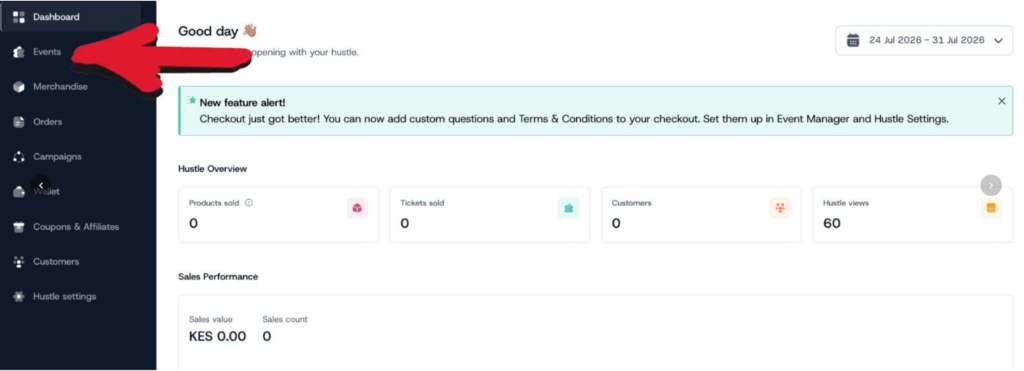
Locate and click the Attendees tab under event tab under “manage event”
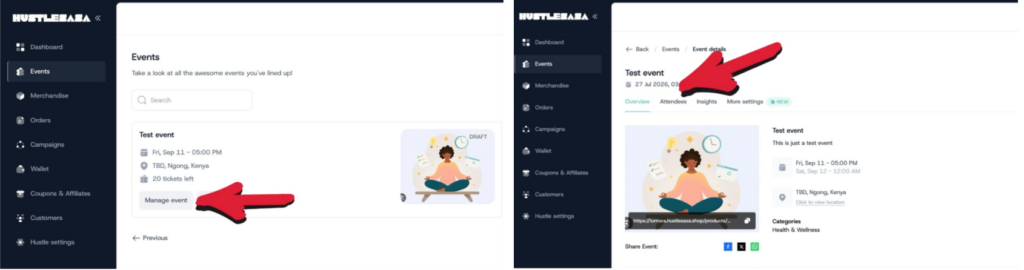
Step 2: Review the Attendees List
- You’ll see a table/list of all attendees for the event, showing key info per line — typically name, ticket type, purchase date, email etc
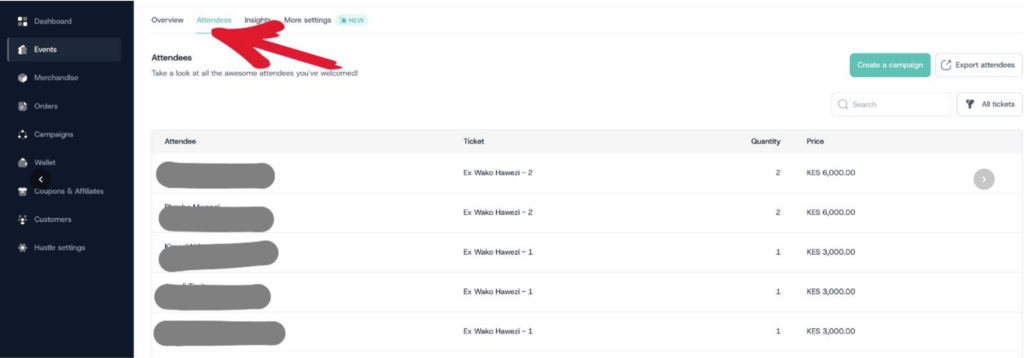
- Each row represents one buyer/attendee
Step 3: View Full Details for an Attendee
- On the row of the attendee you want to inspect, click See More Info
- This opens the attendee’s full profile, including:
- Personal information (name, email etc)
- Custom question responses — any additional info collected via custom fields/questions set up for the event
Step 4: Export the Attendee List
- On the main Attendees tab view
- Click the Export Attendees button
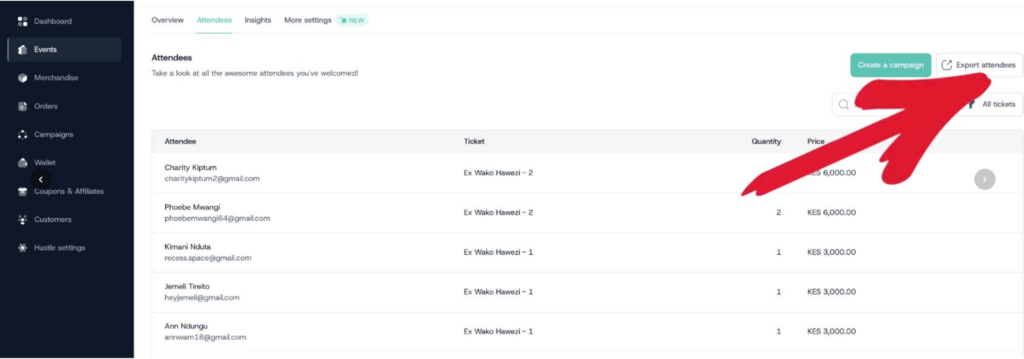
- This generates a downloadable file ( CSV ) containing the attendees data