Part 2: Viewing Order Details
Step 1: Go to the Orders Section
- Navigate to the Orders tab/feature from the web app
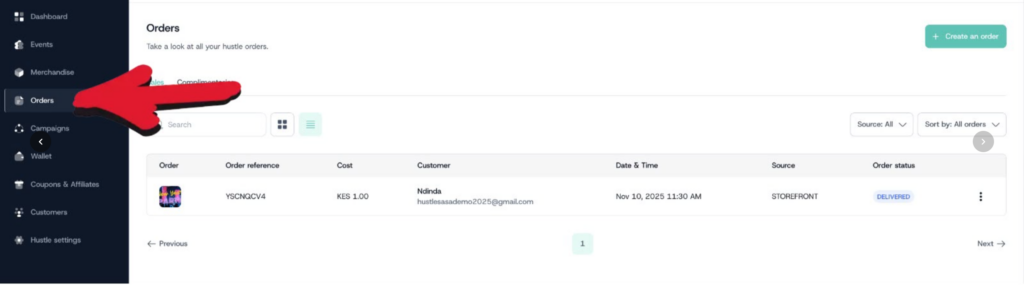
Step 2: Select an Order
Click on any individual order from the list to open its details
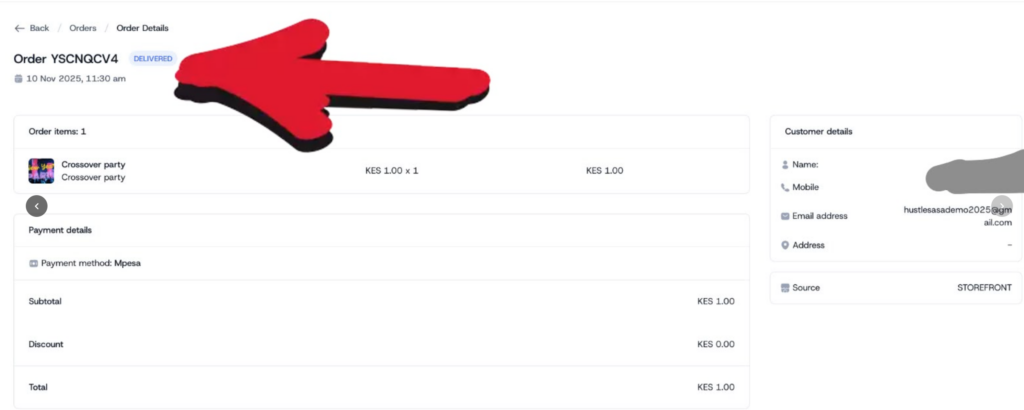
Step 3: Review Order Details
The order detail view will show:
- Buyer information
- All products/tickets included in that order
- Pricing and payment details
- Custom fields filled per product — any custom question responses tied specifically to each product/ticket type within that order