- Purchase Flow
- HustleSasa Events App Acess
Purchase Flow
- Go to your favourite creators’ HustleSasa website or visit https://www.hustle.events/
- Search the event you wish to buy a ticket for
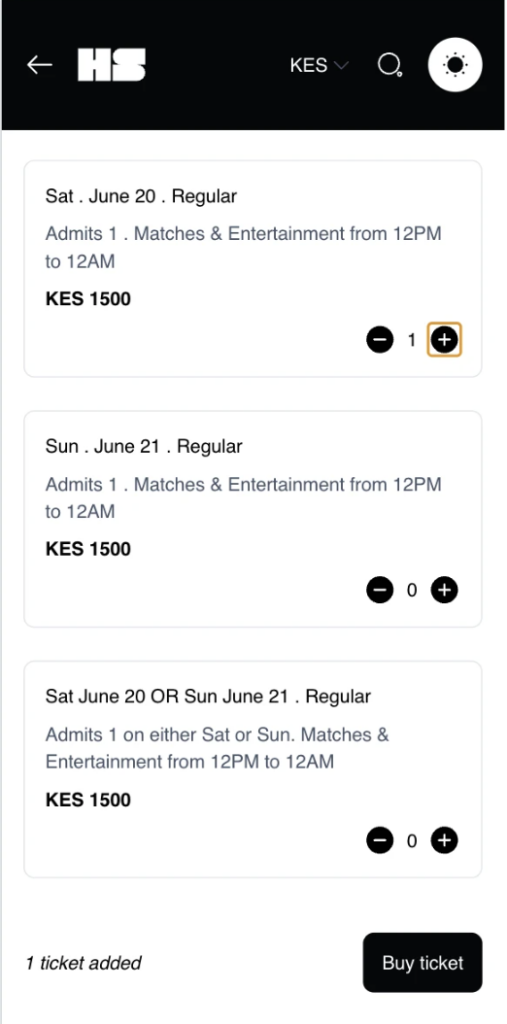
- Click the + button to add ticket to cart
- Click ‘Buy ticket’
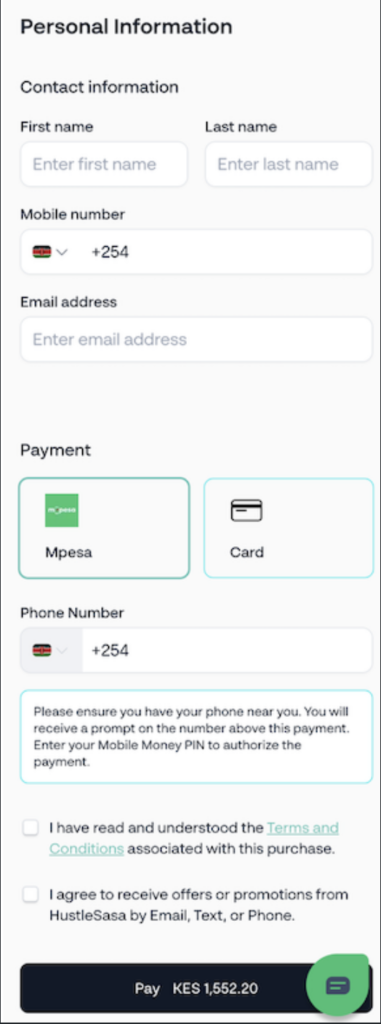
- Enter your personal information
- First name
- Last name
- Mobile number
- Email address
- Select your preferred payment method
- Tick the required terms and conditions
- Click “Pay” and complete your purchase
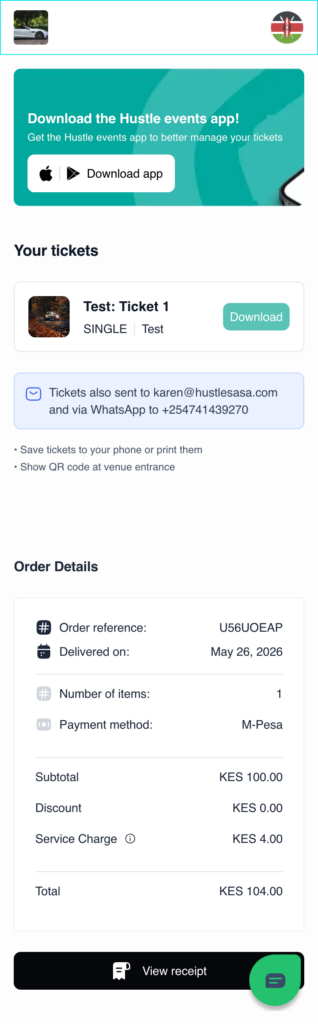
- Click “Download app” and download the HustleSasa Events app via PlayStore or AppStore
HustleSasa Events App Access
- Download the HustleSasa Events app from PlayStore or AppStore
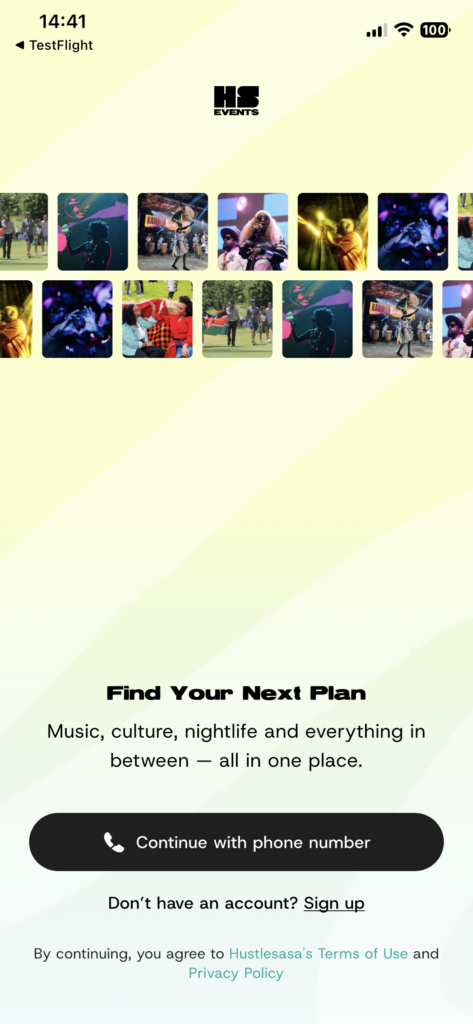
- Click “Continue with phone number” and enter your phone number
- Enter the OTP code sent to your WhatsApp
Log in
- Click “My Tickets” to see all your event tickets
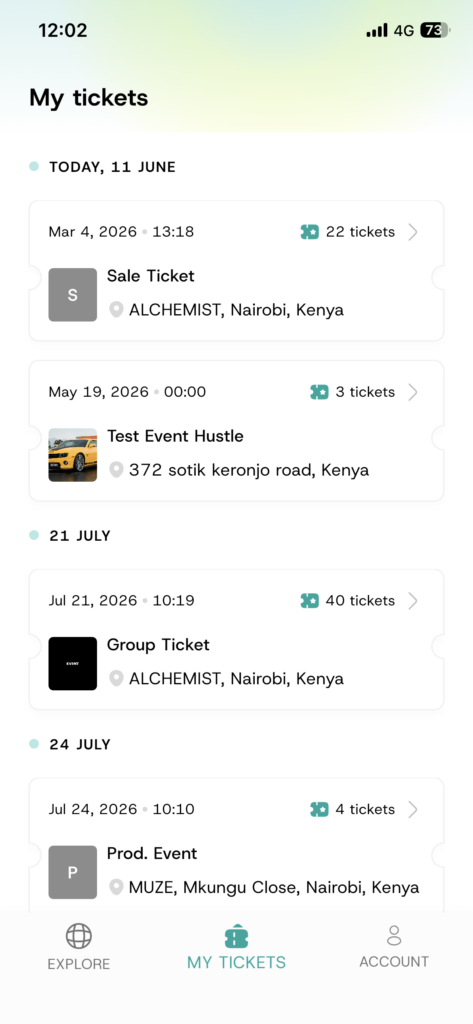
My Tickets
- Click on the event you want to access your ticket for
- Click “View Details”
- Access the QR code
Note: the QR code is only available to use on the day of the event
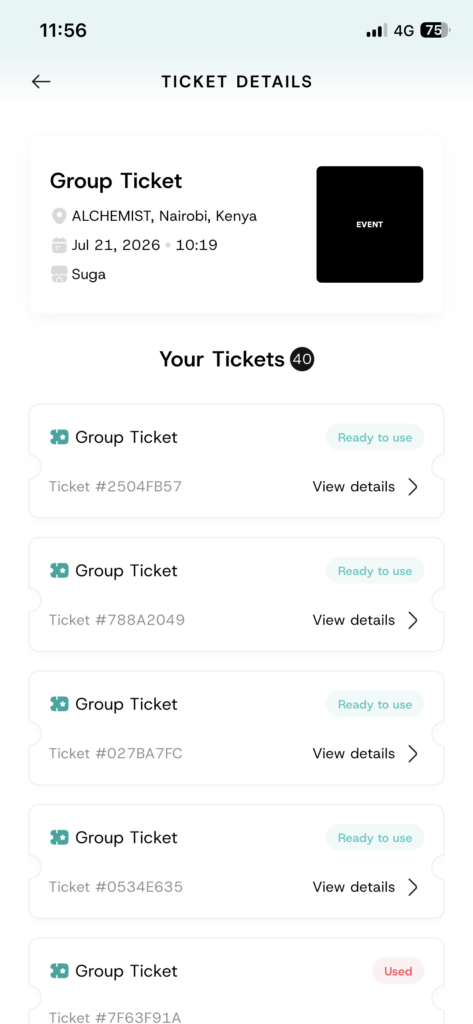
Ticket Details
Share Tickets
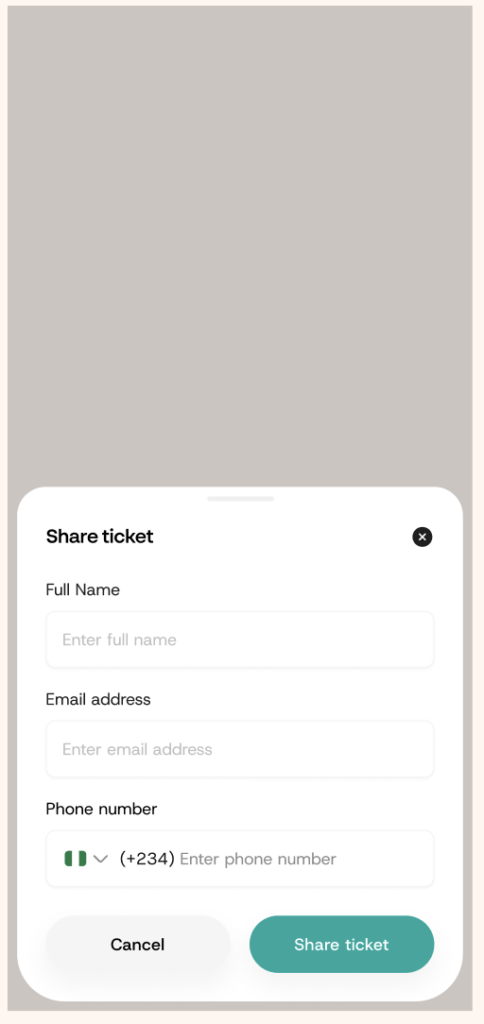
- This feature enables the fan to share the ticket with others
- Enter the recipient’s details and click “Share ticket”, the recipient receives an email:
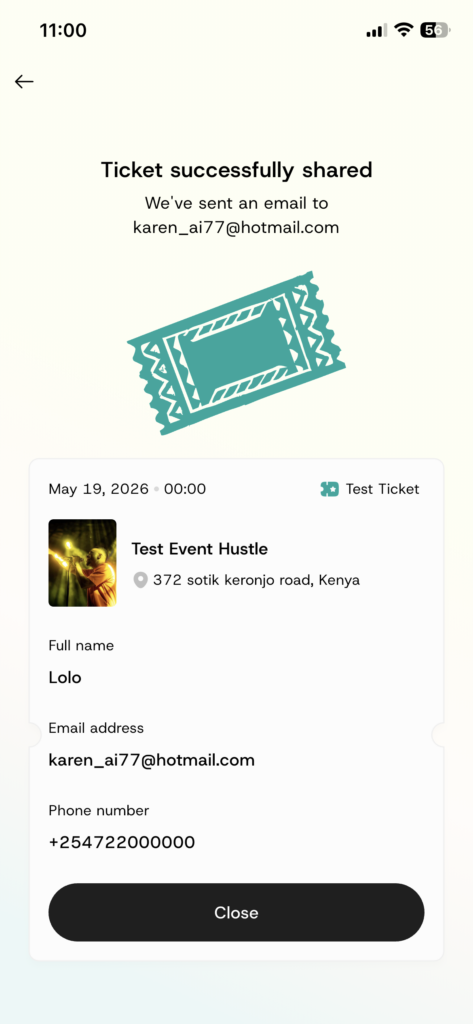
- Email 1: “An event ticket has been shared” – allowing the fan to click “Accept your ticket”
- Email 2: Once the fan accepts the ticket, they receive a “Your ticket is ready for download” email with the PDF document attached.
- Once the recipient accepts the ticket, they are also able to access the HustleSasa Events App using their phone number