Logging Into The Affiliate Dashboard.
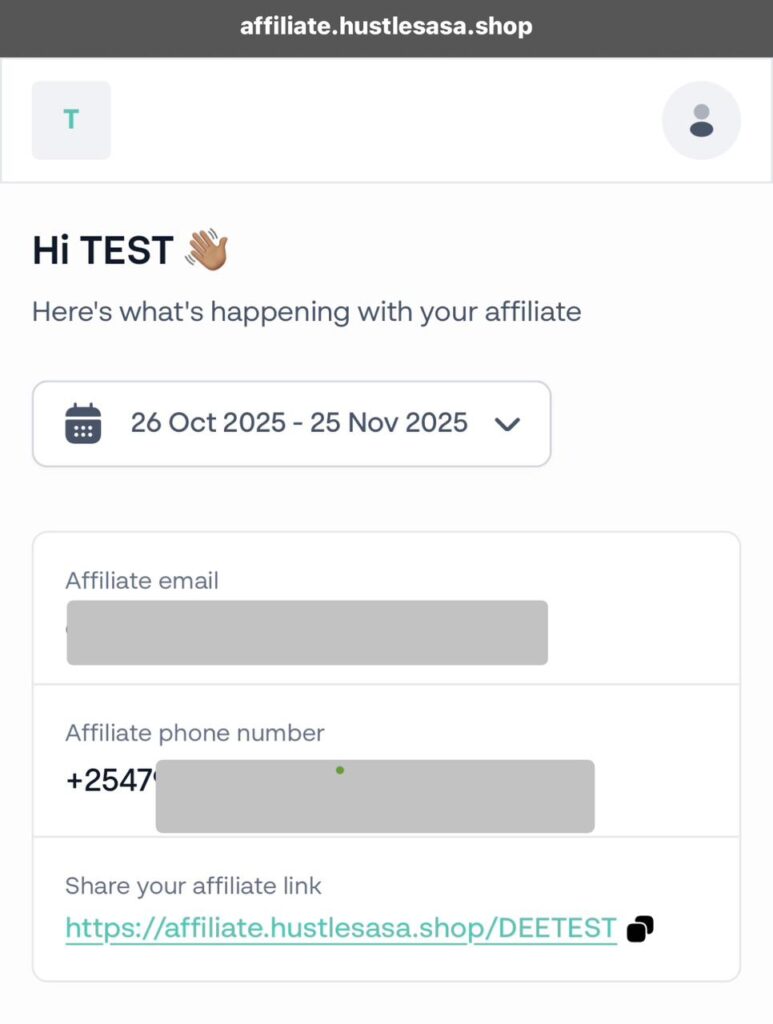
- Click on your assigned affiliate link e.g https://affiliate.hustlesasa.shop/DEETEST
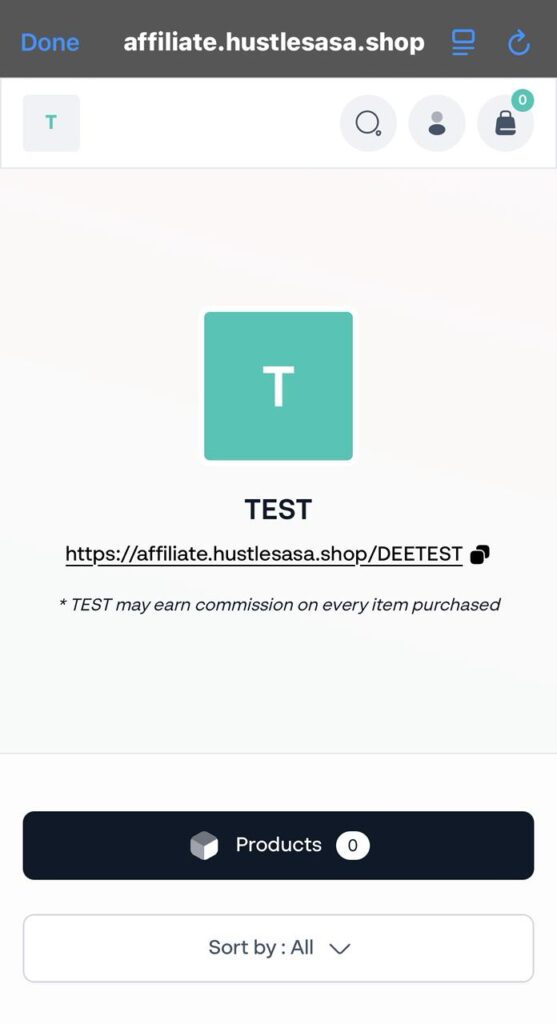
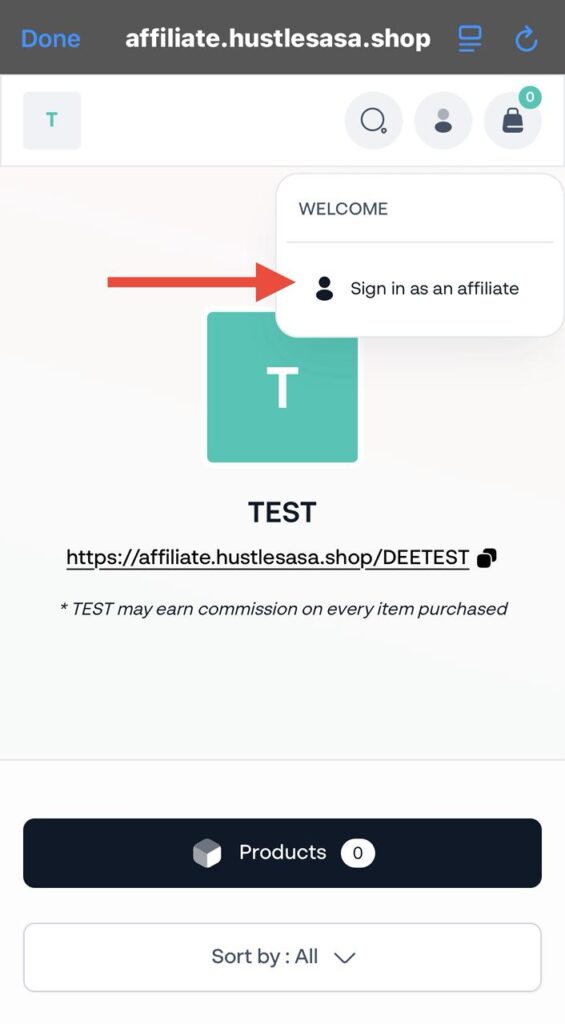
- Select the middle top-right tab to access your login.
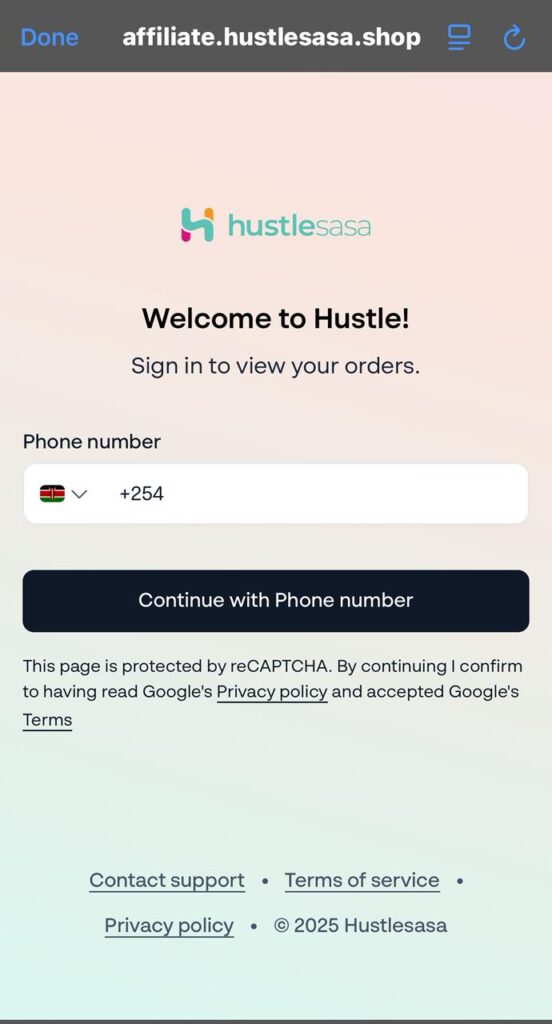
- Enter the assigned phone number and click on ‘Continue with Phone Number’.
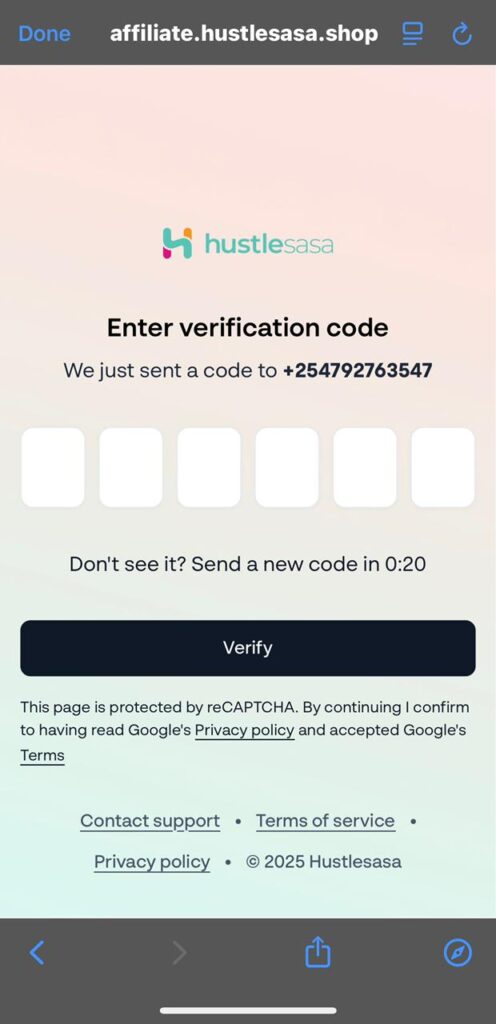
- Enter the verification code sent to your phone number and click on ‘Verify’.
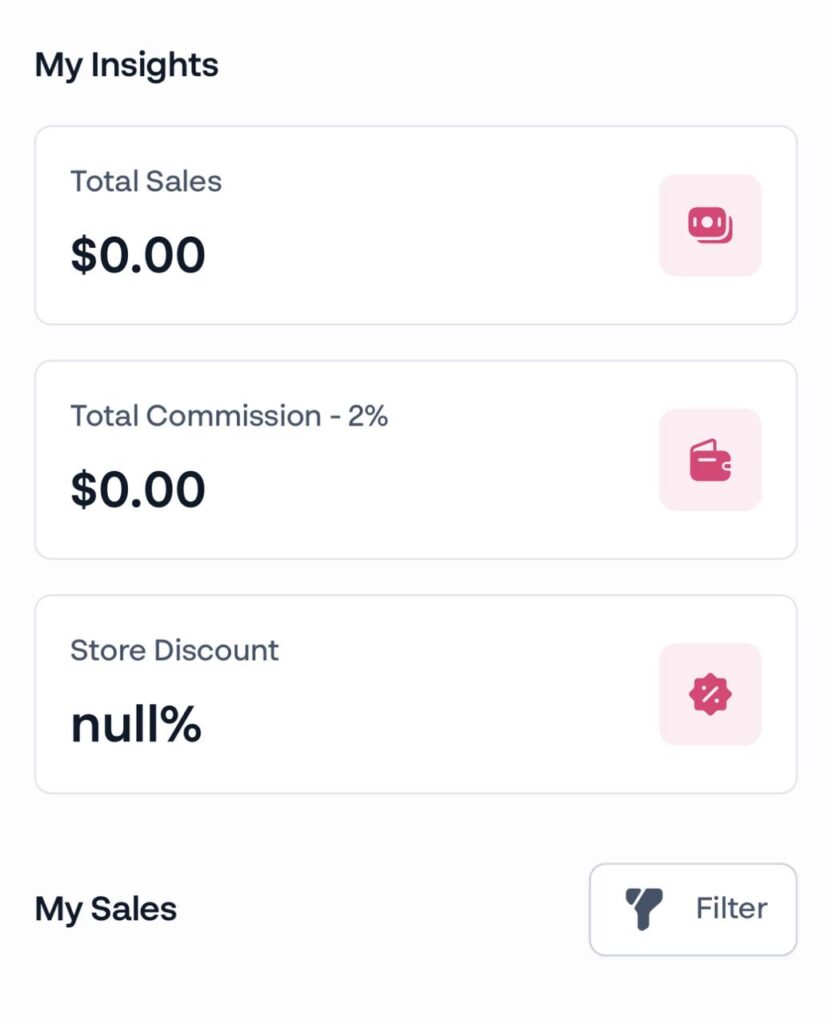
- You will be redirected to the affiliate dashboard where you will be able to view all insights associated with the affiliate.
Was this article helpful to you?
Still stuck? How can we help?