i) Creating an affiliate
ii) Editing an affiliate
iii) Deleting an affiliate
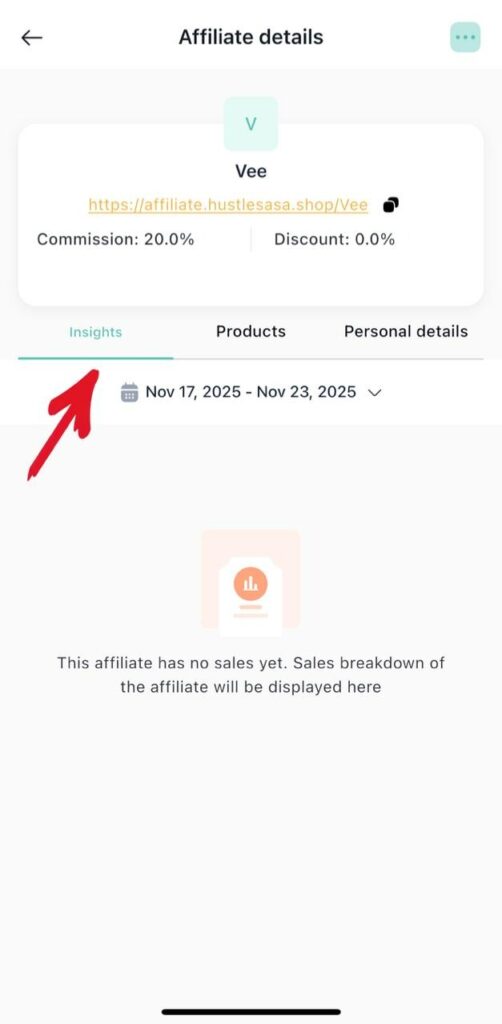
iv) Affiliate insights
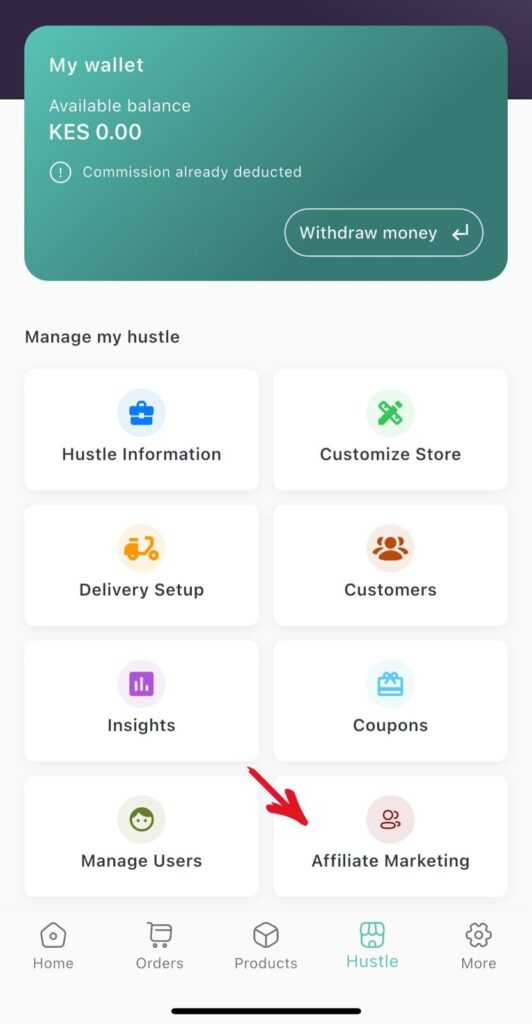
1.From the tab Hustles click Affiliate marketing
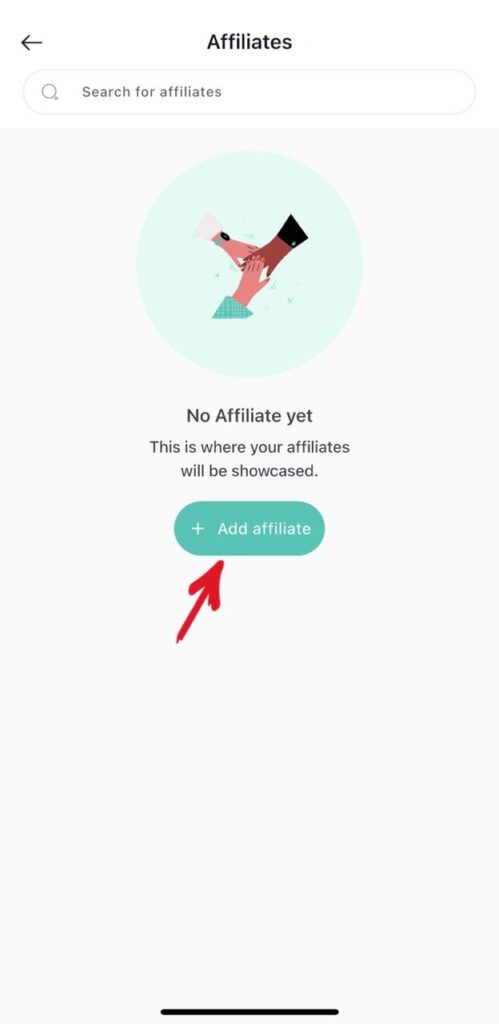
2. Click Add Affiliate.
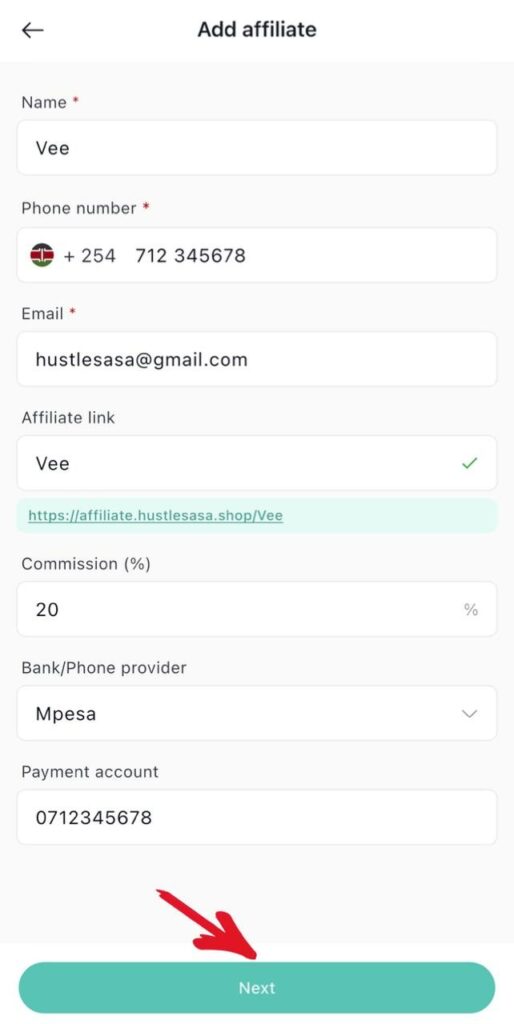
3. Create the Affiliate
i) Enter the affiliate name
ii)Enter the affiliate phone number
iii)Enter the affiliate email
iv)Enter the affiliate link
v)Enter the commission
vi)Enter Bank / Phone provider
vii)Enter payment option
viii)Click next
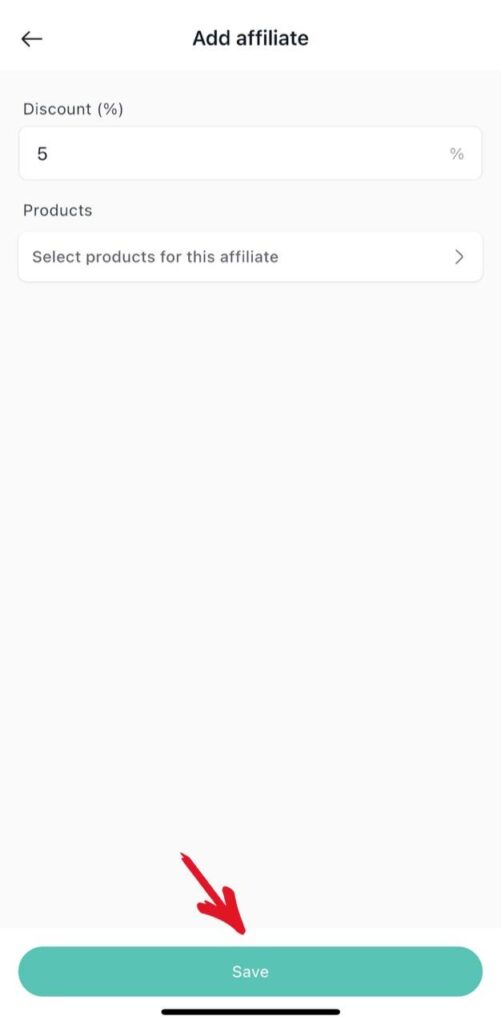
ix)Enter the discount
x)Select the product for the affiliate
xi) Click save
xii) Affiliate created successfully
2. Editing an Affiliate
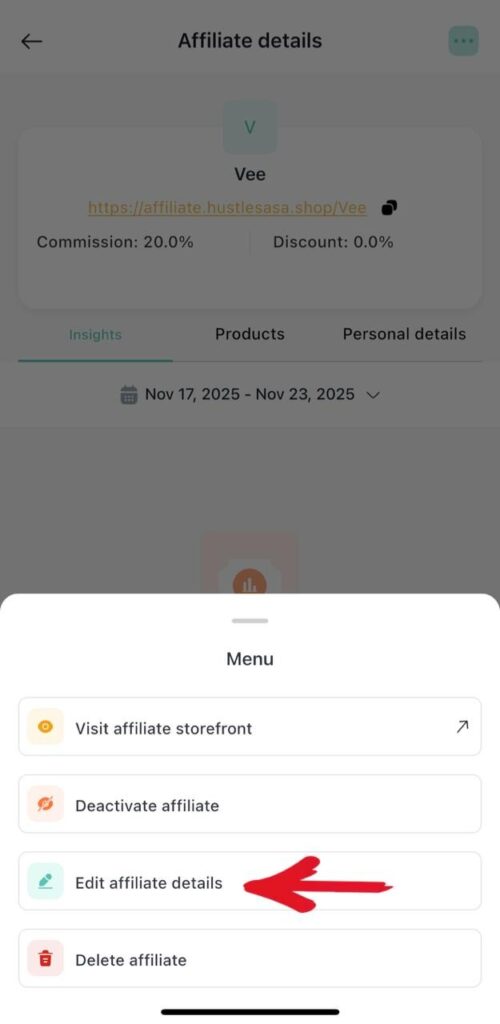
i)Click the affiliate
ii) Click the 3 dots on the top right
iii) Click edit affiliate details
3. Deleting an Affiliate
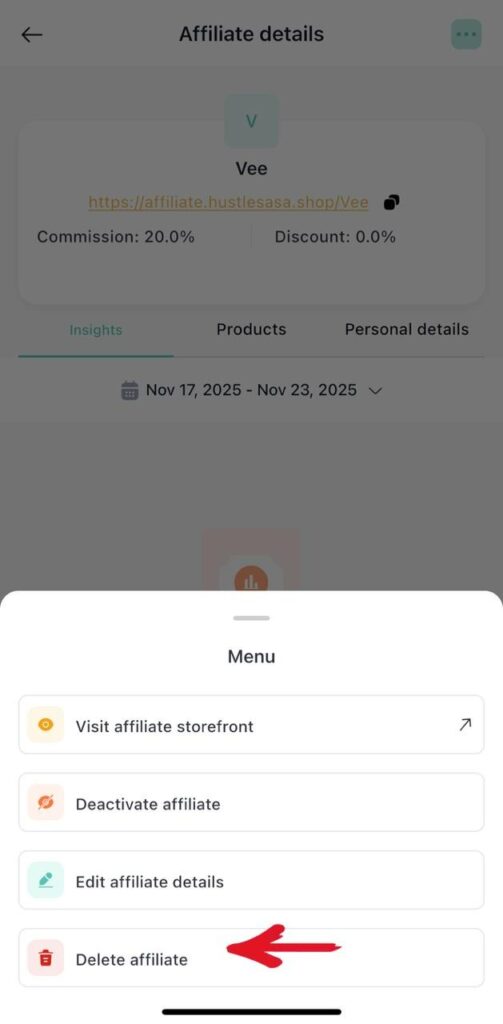
i)Click the affiliate
ii) Click the 3 dots on the top right
iii) Click delete affiliate
4. Affiliate insights
i)Click on the affiliate
ii)Click insights